In this Best Courses Guide (BCG), we’ve picked the best online PowerShell courses. Anything you can do with a graphical user interface (GUI), PowerShell can do faster. PowerShell is a cross-platform command-line shell and scripting language commonly used for automating tedious tasks, managing system configurations, and much more. You’ll find many system admins, IT managers, and developers who use PowerShell daily. And thanks to scheduling, they don’t even need to lift a finger to run PowerShell scripts!
Click on the shortcuts for more details:
Here are my top picks. Click to skip to course details:




What is PowerShell?
PowerShell is Microsoft’s open-source cross-platform command-line shell and scripting language built for task automation, configuration management, Azure resource management, and much more. Released in 2006, it was originally used for automating administrative Windows tasks but has since expanded to include Mac and Linux platforms.
As a command-line shell, PowerShell has clear benefits like easy automation. But it also differs from the traditional command-line shell in a few ways, like how it operates on objects over text, how it has cmdlets, and how it has many different types of commands.
PowerShell is well-loved among sysadmins, IT managers, and developers (especially those using Windows). 10th most popular language according to the Stack Overflow Developer Survey 2025. And since PowerShell has the support of Microsoft, it’s likely that it will continue to be maintained and developed for years to come.
Best Free Comprehensive PowerShell Course for Beginners (John Savil)

By the end of John Savil’s free comprehensive PowerShell Master Class, you’ll have all the knowledge and technical skills needed to become a PowerShell master. You’ll learn by watching the lecture videos, following along with the demonstrations, and browsing through the course materials on GitHub.
In this course, you will:
- Learn the fundamentals of PowerShell
- Explore pre-PowerShell interfaces and basic structure of commandlets and modules
- Understand objects and leverage the PowerShell pipeline for flexible output redirection
- Learn to use the remoting module for cross-platform PowerShell work
- Create and run scripts for task automation
- Explore advanced scripting techniques
- Data Parsing, States, and Azure Automation in PowerShell
- Explore sections related to Azure automation and functions in the final lectures.
John Savill is a Principal Cloud Solutions Architect at Microsoft. He holds many Microsoft certifications including Azure Infrastructure and Azure Architecture specialist. He is the author of eight books on Microsoft technologies including Mastering Microsoft Azure Infrastructure Services and Mastering Windows Server 2016 Hyper-V.
John is also an instructor on Pluralsight with 100 courses published and an average course rating of 4.5 / 5.0.
| Channel | John Savill’s Technical Training |
| Provider | YouTube |
| Instructor | John Savill |
| Level | Beginner |
| Workload | 10 hours |
| Certificate | None |
Most Entertaining Free Video-Based Overview of PowerShell (Microsoft)

In this free series of videos on PowerShell from Microsoft, your hosts Jason Helmick and Jeffrey Snover (the inventor of PowerShell!) discuss everything needed to work effectively with Powershell.
Although the PowerShell version used in this course is 3.0, much of the information in this course is still relevant to this day (as PowerShell forward compatible meaning that anything you wrote in PowerShell 3.0 will still work in 7.0). Plus, it also teaches you the mindset behind PowerShell which will never go out of date.
This course is targeted towards IT professionals who need to improve management and automation. Watch the lecture videos and follow along with the instructors as they demonstrate PowerShell features throughout the course.
In this course, you will:
- Learn installation, management, and customization of PowerShell
- Be introduced to the essential help system to alleviate fear of the command line
- Explore the pipeline, import/export file types, and work with objects
- Dig into sorting, selecting objects, and understanding pipeline functionality
- Learn to extend the shell by finding and adding snap-ins, modules, and commands
- Utilize remoting to run PowerShell commands on remote systems
- Discover the usefulness of remoting in automation
- Cover automation through scripting, PowerShell security goals, execution policy, and variables
Jason Helmick is the Program Manager of PowerShell at Microsoft. He’s an avid supporter of the PowerShell/DevOps community and former founder and CFO of PowerShell.Org. He has also authored and co-authored several books on PowerShell.
Jeffrey Snover was a Microsoft Technical Fellow, PowerShell Chief Architect, and the Chief Architect for the Azure Infrastructure and Management group. He is more commonly known as the inventor of PowerShell.
| Institution | Microsoft |
| Provider | Microsoft Learn |
| Instructor | Jason Helmick and Jeffrey Snover |
| Level | Intermediate |
| Workload | 6 hours |
| Certificate | None |
Best Free Course for Beginners with Interactive Tutorials (Rain Sallow)

The PowerShell Koans are a set of free exercises designed to get you familiar with PowerShell 5.0 and above through hands-on code-writing. The koans (questions) start very simple to get you familiar with the basic concepts and progress towards more difficult ones. After working through the exercises, you’ll have a good understanding of the syntax of PowerShell and scripting.
What you’ll learn in this course:
- The 6 modules are: Introduction, Foundations, Katas, Cmdlets 1, Constructs and Patterns, Cmdlets 2
- Each koan is represented by a failing Pester test, making hands-on learning practical
- The Introduction teaches basic programming and PowerShell concepts
- Includes assertions, data types, and cmdlets
- Arrays, comparisons, conditionals, functions, order of operations, hash tables, loops, and pipelines are covered in the Foundations moduleKatas is a short module on processing strings and sorting characters
- Various useful cmdlets are introduced in the Cmdlets modules 1 and 2, plus object methods like SelectObject and MeasureObject, and more
- The Constructs and Patterns module teaches about lists, StringBuilders, advanced functions, redirection, error handling, regular expressions, etc.
Rain Sallow is a PowerShell enthusiast who has written many posts on PowerShell on her blog. This course is inspired by Chris Marinos’ F# koans on GitHub.
| Provider | GitHub |
| Instructor | Rain Sallow |
| Level | Beginner |
| Workload | N/A |
| Certificate | None |
Best course on PowerShell 7.0 (LinkedIn Learning)
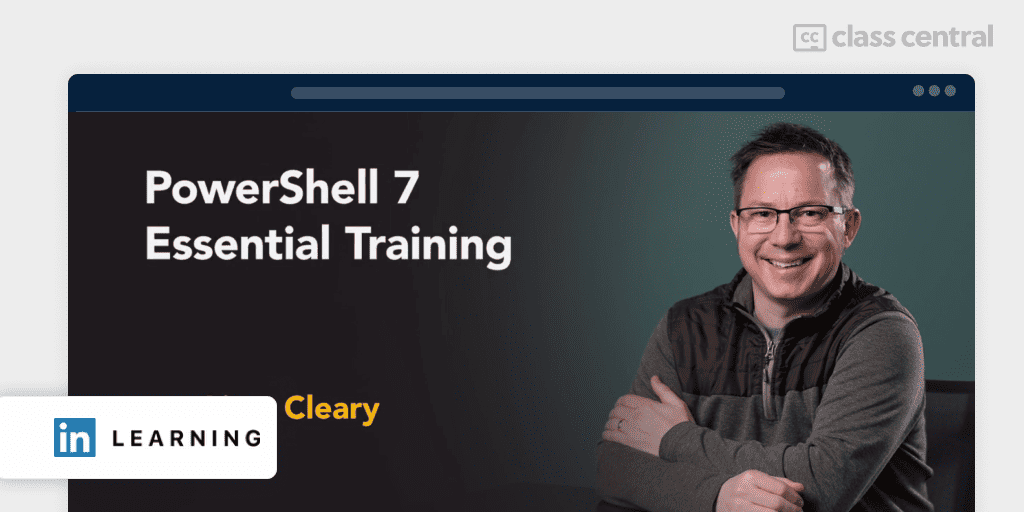
No prior experience with PowerShell or the command-line is required for this course. If you want to learn PowerShell while at the same time learning the features available in version 7.0 of PowerShell, then this LinkedIn Learning course is for you.
By the end, you’ll be able to automate, inspect, and manage your IT environment efficiently and with ease. Learn by watching the lecture videos, answering the chapter-wise quiz, and trying your hands on the exercise files given in the course.
You will learn to:
- Configure and set up PowerShell and choose a development environment
- Explore basic PowerShell syntax
- Write new commands and execute existing ones
- Work with data, specific object types, and utilize commands on your machine
- Basic Programming Concepts: learn variables and control-flow for scripting and begin writing your first script
- Understand remote script execution capabilities
- Prioritize navigation of file systems and data retrieval from files, including JSON files
- Explore new updated commands and properties in PowerShell 7
Liam Cleary is a Microsoft MVP and MCT. He is also CEO of SharePlicity, a Microsoft 365 solutions firm.
| Provider | LinkedIn Learning |
| Instructor | Liam Cleary |
| Level | Beginner |
| Workload | 4 hours |
| Enrollments | 46K |
| Likes | 4.7 / 5.0 (967) |
| Certificate | Paid |
Best Free Course for IT Professionals with Interactive Tutorials (underthewire.tech)
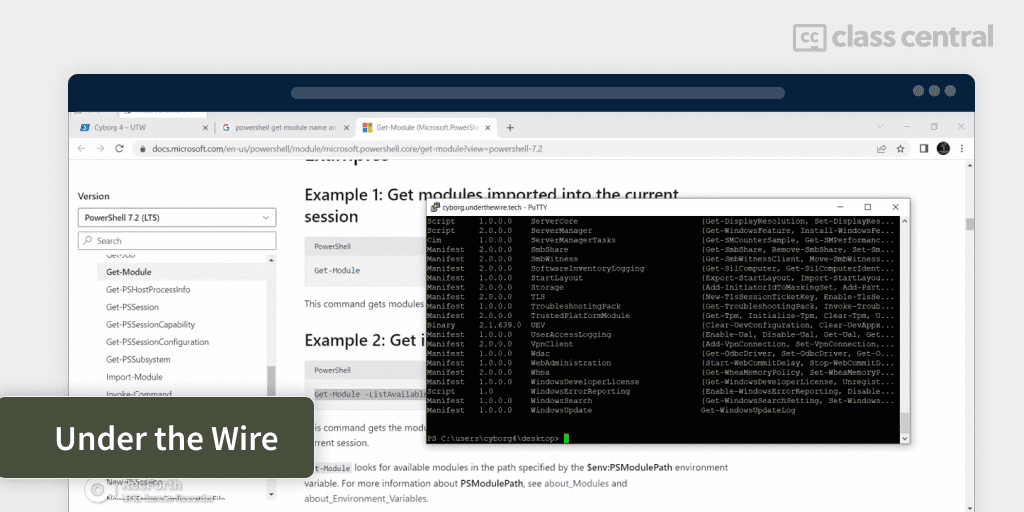
Screenshot taken from Underthewire.tech Cyborg CTF Walkthrough.
UnderTheWire is a platform for information technology and security people for learning and practicing PowerShell. The website hosts free interactive ‘wargames’ or exercises where you’ll be given cybersecurity and system administrative tasks to complete from your PowerShell terminal. This course contains five wargames. Each wargame contains a number of levels which you’ll have to complete to progress to the next level. You’ll learn by writing commands directly from your PowerShell terminal.
You should have basic familiarity with the command line and cybersecurity concepts prior to taking this course.
What you’ll learn:
- The 5 wargames are Century, Cyborg, Groot, Oracle, and Trebek
- Century is the most basic wargame. It focuses on parsing files, usage of PowerShell operators, file searches and general navigation techniques in a Windows environment
- Cyborg covers slightly more advanced topics like working Active Directory, AppLocker policies, Alternate Data Streams and auto-start items
- Groot contains a wide range of topics like file hashing, working with Windows registry, getting information about filesystems, managing firewall rules, getting BIOS info, and more
- Oracle meanwhile will have you filter through Windows event logs, manage group policies, and extract recently visited websites and remote desktop sessions from Windows registry
- The final wargame includes topics like working with Windows scheduled tasks, event logs parsing, and auto-run.
This website was inspired by a very similar website but for Bash scripting called صire. The idea of Under the Wire was conceived on a business trip between two co-workers in 2015.
| Website | underthewire.tech |
| Level | Intermediate |
| Workload | N/A |
| Certificate | None |
More PowerShell Resources
Find free ebooks and videos at PowerShell.org.
Why You Should Trust Us
Class Central, a Tripadvisor for online education, has helped 100 million learners find their next course. We’ve been combing through online education for more than a decade to aggregate a catalog of 250,000 online courses and 250,000 reviews written by our users. And we’re online learners ourselves: combined, the Class Central team has completed over 400 online courses, including online degrees.
Best Courses Guides (BCG) Methodology
We built this ranking following the now tried-and-tested methodology used in previous Best Courses Guides (you can find them all here). It involves a three-step process:
- Research: I (Elham) started by leveraging Class Central’s Catalog and the internet to find a variety of free and paid open courses, some with certificates
- Evaluate: I read through reviews on Class Central, Reddit, and course providers to understand what other learners thought about each course and combined it with my own experience as a learner. I examined courses and instructors that covered a range of presentation styles, including the basics and more advanced topics. I watched some course videos to sample courses I hadn’t already taken
- Select: Well-made courses were picked if they presented valuable and engaging content and fit criteria including comprehensive curriculum, affordability, ratings and enrollments. Ultimately, I used a combination of data and my own judgment to make these picks. I’m confident these recommendations will be a reliable way to learn Powershell.
Pat revised the research and the latest version of this article.
The post 5 Best PowerShell Courses for 2026: Automate Scripts and Tasks appeared first on The Report by Class Central.