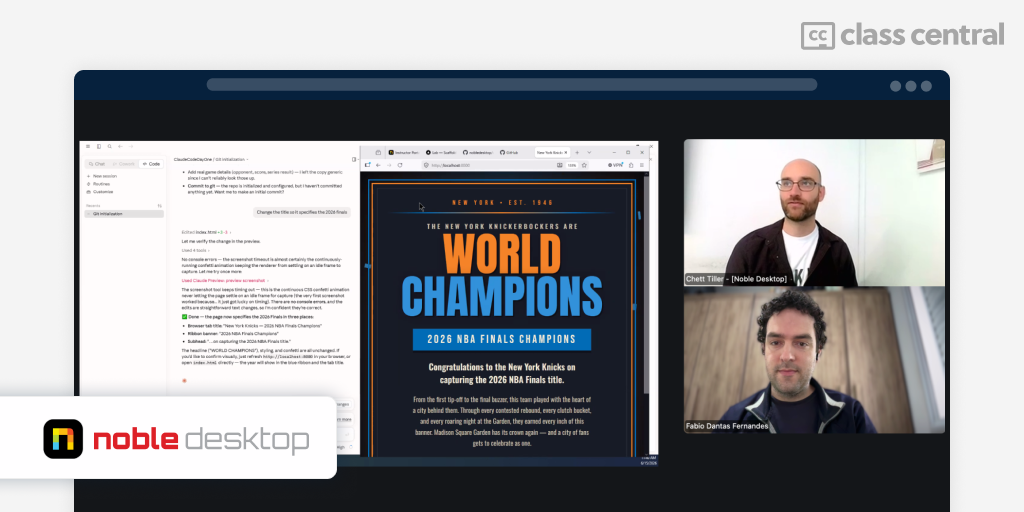

I spent two weeks in Noble Desktop’s AI Coding Bootcamp with Claude Code, and I came out with a World Cup prediction game, a Reddit-style app for AI coders, a Telegram bot wired to my own finances and more projects. Here’s what the course covers, what you build, and who I think it’s for.
- Provider: Noble Desktop
- Instructor: Chett Tiller
- Length: 2 weeks, 60 hours total
- Format: Live, instructor-led (I attended online)
- Level: Beginner friendly, no coding experience required
- Tools covered: Claude Code, Git and GitHub, Next.js, Supabase, Vercel, REST APIs, OAuth, Tailwind CSS
Shortcuts:
- So what is an AI coding bootcamp?
- The format: live, online, and flexible
- Learning from Chett — The Instructor
- What you learn, Day by Day
- Week 1: Foundations and First Builds
- Week 2: Depth, Security, and Shipping
- What Worked and What I’d Change
- Who Should Take It? Who Should Skip It?
- The Verdict
What the AI Coding Bootcamp Teaches
The promise of this Claude Code bootcamp is simple: a total beginner can go from zero to deploying a full-stack app in two weeks. After the full two weeks, that promise holds up.
The way you get there is “vibe coding.” You build working web apps by directing Claude Code instead of writing every line yourself. You still need to understand the basics. The course makes sure you do.
The coding itself is a conversation with the model, and a big part of the bootcamp is learning to have it well. You practice how to prompt Claude, how to manage its context and memory, and where it tends to slip so you can catch it. By the end you have a feel for how the model thinks, not just how to get it to produce code.
The Format: Live, Online, and Flexible

I attended the whole bootcamp online, and the hybrid setup mattered more than I expected. Every class was recorded, and the recording went up at the end of the day. Anyone who missed a session could catch up without falling behind.
It works the other way too. Students who chose the in-person bootcamp could jump online for a day or watch the recording later.
That happened more than once. After the Knicks won the championship, parades filled the city, so most of the class joined online. One student attended online for a few hours before catching a flight. On the last day, an open day for project work, most people joined online because it was less hassle.
That is the real benefit of a hybrid setup. You get the structure and the live interaction, and life does not have to stop for it. And attending online was almost as good as attending in person, which came down almost entirely to Chett Tiller, the Instructor.
Learning from Chett — The Instructor
Chett ran the room so well that I felt included the whole time, even as the only person dialing in. Student participation is a core part of the class, and the back and forth kept me engaged.
The only friction was that the other students were sometimes faint on my end, but Chett repeated and reframed questions and I didn’t lose the thread.
They even offered me a temporary Claude account for the course if I needed one. I didn’t, but it showed their commitment and care in including everyone.

Chett’s teaching style is the strongest part of the bootcamp. When he explained how a server talks to a client, he drew it out with diagrams by hand (that’s what makes it stick) and walked through request and response cycles with their status codes. He made sure everyone was on the same page before moving on. I know that sounds kind of basic for some, but most courses skip that step, and that’s why the beginners could keep up with material that would normally lose them.
What You Learn, Day by Day
The breakdown below is what my cohort covered, not a fixed script. Chett was clear that no two rounds follow the same schedule. The tooling changes constantly, and the students in the room set the priorities. Treat this as a picture of what a cohort looks like, not a guarantee of the exact order you will get.
Week 1: Foundations and First Builds
- Monday, Claude Code setup, Git & data safety: Install Claude Code, learn the essentials (Git, GitHub, .gitignore), and deploy your first static site. Mine was a World Cup prediction game; a classmate’s was even better.
- Tuesday, how the web works & the framework tour: A theory day on how the web works, plus a tour of the main frameworks and databases. We scaffolded a first project; I built Vibehaus, an AI Coders Reddit on Supabase and Next.js.
- Wednesday, full-stack, testing & teamwork: Wire up Supabase and ship to Vercel with OAuth, then cover testing (with hooks), Git teamwork (PRs, CI), and free APIs.
- Thursday, scraper, API & CRON pipeline: A multi-phase build: scrape past World Cup player data, serve it through an API, and schedule a CRON job to keep it fresh.
- Friday, design, accessibility & an agent team: A React interface with Vite, time in Claude Design, and a real focus on accessibility. The afternoon put a team of agents to work summarizing Goodreads reviews.


Week 2: Depth, Security, and Shipping
- Monday, recap & a theory deep dive: A theory session on app architecture, apps versus websites, and the jargon that makes you sound like a pro, plus a deep dive on MCP, tools, and subagents.
- Tuesday, security & SQL injection: SQL injection up close, with real queries in VS Code and real-world cases.
- Wednesday, building a security agent: We built a bank web app on purpose, then used a custom Claude security agent to find and fix its holes.
- Thursday, team Git & the commit visualizer: We built a commit visualizer and practiced real team Git: branches, merges, and conflict resolution, via the GitHub tool or locally with Claude Code.
- Friday, showstoppers: Final builds and presentations. I shipped a personal finances app tied to a Telegram bot. Classmates shipped business tools and an RPG game that quizzes you on the course.


What Worked and What I’d Change
The teaching is the headline. Chett makes complicated things click, and not just for beginners. I have written code for years, and I still caught myself learning things in a way I had never thought about before. The bit about where a page calls its CSS, images, and JavaScript is something I have done a thousand times, and his framing made it click for me. A lot of gaps I had turned out to be simple once someone walked me through them properly.
That’s another reason the live format is worth it: you learn Claude with someone there to explain it. As a beginner, a big part of the game is getting a feel for how the model behaves, its personality, its quirks, when it drifts and how to get it back in line. Chett could flag all of that in the moment, the way a mentor would. That’s hard to pick up from docs or a solo tutorial, and it’s a strong argument for learning this live instead of on your own.
The projects were useful and realistic, the pace never felt rushed, and the security material is more thorough than I expected from a course with “AI coding” in the name. You leave knowing how to deploy, keep your secrets secret, and work on a team over GitHub.
A minor setback is about pacing for more experienced learners. Because the course is built for true beginners, there were stretches where I sat through the basics for an hour or more. That is exactly right for the target audience, but if you already know your way around, be ready for some slower moments (not many though).
Who Should Take It? Who Should Skip It?
Take this if you are a total beginner with no development experience, or if you have a little (you can write a Python script, tweak some JS or CSS) but you cannot yet ship a real app. It takes you from “I can fiddle” to “I built and deployed this.”
Skip it if you are already a pro who knows the Claude Code fundamentals. If you know what an MCP is, how to create skills, run subagents, set up a database, and build and connect an API, you will not get $2,995 of value out of it.
The Verdict
For its target audience, this is a 5 out of 5. It is beginner friendly without being shallow, the projects are great, and Chett is one of the best instructors I have learned from.
For me as a more experienced programmer, it is a 4.5 out of 5, only because some sections moved slower than I needed. A track with a bit more nuance for slightly experienced devs would make it perfect.

Is it worth $2,995? Yes. You finish with deployed apps, a real mental model of how the web and Claude works, and the confidence to keep building on your own. That is the whole point, and it delivers.
Noble Desktop is a Class Central partner. All opinions are my own.
The post I Built 6 Projects in 60 Hours at Noble Desktop’s Claude Code Bootcamp appeared first on The Report by Class Central.