This post is sponsored by Lincoln Learning Solutions
The current artificial intelligence (AI) boom and rapid development of AI tools feels hard to grasp, especially when thinking about what this means for our kids. We worry about their futures, including the impact of AI on their futures, how and what they’re learning, and their ability to develop meaningful critical thinking skills. The truth is, the best AI tools support learning through authentic experiences, helpful content, and questioning that makes kids think.
How Lincoln AI Learning Coach Helps with Homework Without Giving Answers 
Instead of giving kids the answers, Lincoln AI Learning Coach requires kids to think about what they know and explore topics in depth while ensuring safe and responsible use.
About Lincoln AI Learning Coach

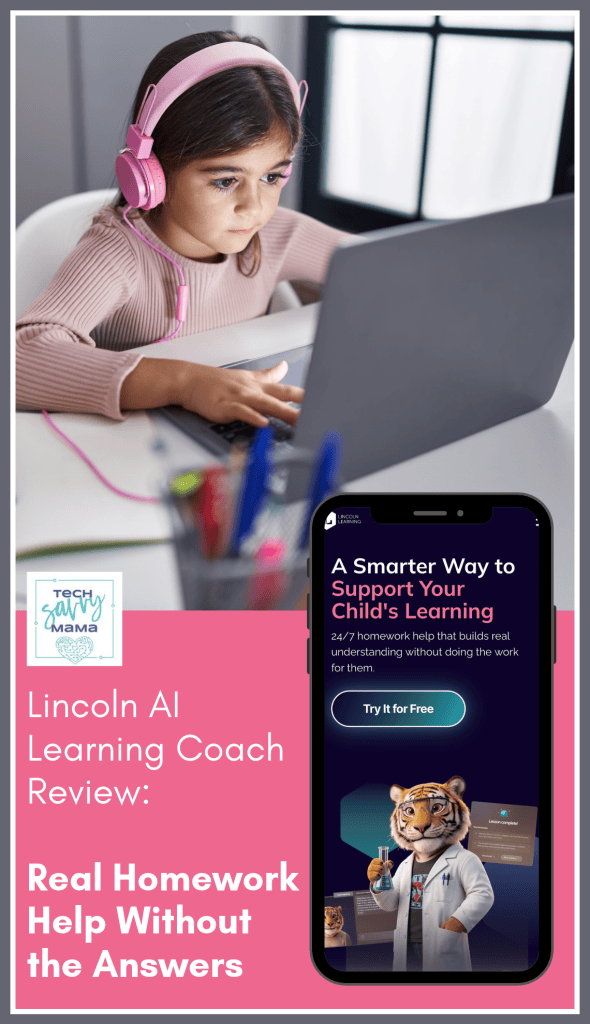
Lincoln AI Learning Coach is a web-based platform that provides 24/7 help that builds real understanding without doing the work for them. This generative AI tool provides kids with instant, personalized support whenever they need it for homework, studying, or going down a rabbit hole of curiosity.
Rather than providing answers, Lincoln AI Learning Coach uses Socratic questioning and guides students step-by-step through problems. This encourages critical thinking, builds understanding of complex topics, and emphasizes independent thinking.

Kids can access the Lincoln AI Learning Coach online through a web browser on their computer, tablet, or phone to keep learning at their own pace. This is especially helpful for extra support when a tutor, parent, teacher, or friend isn’t available for immediate homework help.
Lincoln AI Learning Coach is a product of Lincoln Learning Solutions, a nonprofit with more than 20 years of accredited K-12 curriculum behind it.
Lincoln AI Learning Coach Review

For this partnership, I was asked to use my background in teaching elementary and middle school, parenting experience, and years of evaluating technology to provide an honest assessment of Lincoln AI Learning Coach (aka Learning Coach). I dove in to testing this AI tool with a healthy bit of skepticism, daring it to live up to my expectations and the TLDR; is I was impressed.
Setting Up Your Lincoln AI Learning Coach Parent and Child Account
 Learning Coach automatically comes with a 7-day free trial.

Signing up for Learning Coach was quick and easy.

It only took 3 steps from the time I set up my parent account to create fictional child Learning Coach accounts for the purposes of this review.

I appreciated that only name, birthday, grade, and an account username and password were needed to set up child accounts.

With minimal information needed and no kid information shared, Lincoln AI Learning Coach meets strict student data privacy standards and ensures kids can access homework help and study tools faster.

The first time your child logs into their Learning Coach account, they’ll get a friendly welcome from Linc, their Learning Coach, which can be helpful to even the most reluctant learners.

The next step asks kids to choose between Linc, James, or Lily as their virtual Learning Coach.

Coach selection isn’t permanent as kids can change at any time. After selecting a virtual Learning Coach, kids can get started.
Using Lincoln AI Learning Coach

Lincoln AI Learning Coach features two different modes: Learn Anything and Homework Helper. Kids can toggle between these 2 modes using the two buttons above their virtual Learning Coach for instant personalized 1-1 support.

For the purposes of this review, I set up 2 accounts:
- Suzy, a 7th grader in need of some geometry homework help and assistance studying for an upcoming world history exam on the fall of Rome and the Byzantine Empire. She uses Linc as her virtual Learning Coach.
- Timothy, a high school junior who has heard a lot of his senior friends talking about their college applications and wants to start thinking about college essay ideas. He has selected James to be his virtual Learning Coach.
Using Learning Coach: Learn Anything Mode for Geometry Help

The goal of homework is to reinforce classroom learning but there are times when the knowledge our kids had at school evaporates. You’re in an important end of day meeting and unable to answer their texts, their best friend is still at school for sports practice, and the regular tutor they see isn’t coming for another 6 days.

Learning Coach’s Learn Anything feature is perfect for providing on-demand education support so kids can keep learning on their own. It’s located above the virtual learning coach’s head and is easy to toggle between it and Homework Helper with a click of the mouse.

To test Learn Anything, I pretended 7th grade Suzy needed geometry homework help to find the volume of a silo- a cylinder with a cone on top that looked like the image below.

To get help from Linc, Suzy has the option to type in the tan text box where the text reads “Ask Linc anything..” or press the microphone to speak. For the purposes of this review, I typed in what Suzy needed help with so I could take screenshots to share then hit the arrow on the bottom right to submit the text to Linc for help.

Linc’s response is positive, yet inquisitive to get Suzy to think more about what she knows.

This is where Suzy gets stuck and Linc explains the formula.

Then provides a link to a resource to help her.


In looking at the resource link, I tried to think like a stuck 7th grader and thought this resource wouldn’t make much sense if they were already confused and in need of help.

Fortunately, Linc regrouped and started to explain the problem in a different way.

After answering correctly, Linc provided positive reinforcement for the correct answer and provided Suzy with an explanation and progressed through the example.

Linc is able to break down parts of problems to ensure students are learning material on their own without providing the answers, even if they feel like they’re stuck and don’t know what to do.

Linc helped Suzy find the volume of the cone then guided her to add the value of the cylinder to the cone to find the total volume of the silo.


With Suzy feeling more confident in her ability to find the volume of two objects together, she logged off to finish her homework.

When a kid logs out of their Learning Coach account, they get a summary of the session and have the option to download the chat or start another session.

The downloadable version of the chat comes as a text file that is a little hard to read but could be referenced again, if needed.
 Using Learning Coach: Homework Helper for History Test Prep

Homework Helper allows kids to upload worksheets.

To try this feature of Learning Coach, I found 2 worksheets about the Byzantine Empire that seemed like what my middle school colleagues would give to their students.

I uploaded them into Homework Helper with the goal of Linc helping Suzy to prepare for an upcoming test. Homework Helper allows kids to upload PDFs, JPGs, or PNGs.

To start the session, Suzy uploaded two PNG worksheet files. Linc reviewed and summarized the first worksheet and asked what help was needed.


Having uploaded the second worksheet soon after the first, Linc had trouble distinguishing between which one should be used first and posed this question to Suzy, providing a suggestion.

Through a series of questions that follow the Socratic method that Lincoln AI Learning Coach is known for, Linc helped Suzy review material on the worksheet by requiring her to think about what she already knew. Below are some of the questions Linc asked Suzy to help her review for her test.


The Homework Helper exchange with Linc about content on the first worksheet took about 15 minutes. What happens if a child needs to end a session before they’re done? The great thing is they can always pick up right where they left off.
Using Learning Coach: Learn Anything Mode for College Essay Help

For college bound students, one of the most difficult parts of the application process is the personal essay. Each year the Common App provides essay prompts. Sometimes there’s one that immediately speaks to a student, other times it can feel overwhelming to select one and get started.

I tested Learning Coach’s ability to assist fictional student, Timothy, a high school junior who has heard a lot of his senior friends talking about their college applications. Timothy read this year’s prompts and started to think about his college essay.

Even though he knows the prompts can change, he wanted to run some ideas by James, his virtual Learning Coach.

Timothy has been thinking about writing about the fact that he was adopted from China when he was 5 into a multiracial family.

Timothy wants to make sure he’s on the right track with his essay idea and James, his virtual Learning Coach, provides positive reinforcement and questions for Timothy to think more about this topic.

Using the Socratic method, James asks Timothy a series of follow up questions about feeling disconnected from his culture and why that makes him feel like an outsider.


At this point I thought it would be interesting to see James’ response if Timothy asked him to write the essay for him based on their conversation thus far.

Learning Coach James says no and Timothy needs to log off to do other homework.

When finished, kids can log out of the Learning Coach or if idle for too long, the window will close and provide a session summary.

Like other sessions with Suzy, a .txt file transcript of Timothy’s session was also available.

Lincoln AI Learning Coach Parent Dashboard

In addition to on-demand help for students, Learning Coach provides a parent dashboard that provides an overview of what kids are learning.

I can see that both Suzy and Timothy are actively using their accounts and the topics they’re using Learning Coach for.

The parent dashboard is also where you can edit your child’s Learning Coach account or remove their subscription.
Lincoln AI Learning Coach Summary

When I first started this site, artificial intelligence existed but not like it does now. These days it’s critical that we understand the benefits and drawbacks of AI. It’s also important to recognize when it can be used in positive ways to support learning and this is exactly what Lincoln AI Learning Coach does.
I spent a good 4 days thoroughly testing Learning Coach. I created different scenarios that middle school Suzy and high school junior Timothy might use it in order to check for threats to child safety. I was looking for reasons not to like it but, in all honesty, I could not find any.

Learning Coach did not give kids the answers for their homework, tests, or college essays. Age-appropriate questions required them to access previously learned information, think more thoughtfully about topics, and kept them on task, just like a good teacher would.
But unlike teachers, tutors, and even us parents, Learning Coach is available 24/7 to answer all questions at any hour, which is a huge benefit to kids, especially as we want them to experience personalized, independent learning at their own pace.
Explore Lincoln AI Learning Coach by signing up for a week’s free trial and get 15% off the price of $14.99/month or $149.99/year when you use the code COACH15. Offer valid until 5/31/27.
This post was written as part of a sponsored partnership with Lincoln AI Learning Coach. All opinions are my own and based on my experience testing Learning Coach
The post Lincoln AI Learning Coach: Real Homework Help Without the Answers appeared first on Tech Savvy Mama.