Apple released iOS 27 to the public yesterday. Its headline feature is the new Siri AI chatbot, which brings a completely revamped agentic companion to the iPhone.
But little do most people know, Apple also hid another type of companion in iOS 27—the dogcow.
Yes, it’s part-dog, part-cow, and is steeped in Apple lore. Here’s what you need to know about the dogcow and how to find it in iOS 27.
What is the dogcow?
The dogcow, whose name is Clarus, was originally a pixel art glyph in the original Mac operating system from the 1980s. As Clarus’s breed suggests, the animal is part dog, part cow.
Apple used the glyph to indicate which way a page’s orientation would face when printed. But given the comical animal blend of the dogcow, it quickly became a beloved icon within the Mac developer community, with a mythology building up around it.
Apple eventually stripped the dogcow from the OS, but with iOS 27, iPadOS 27, and macOS 27, released this week, the dogcow has finally made its return.
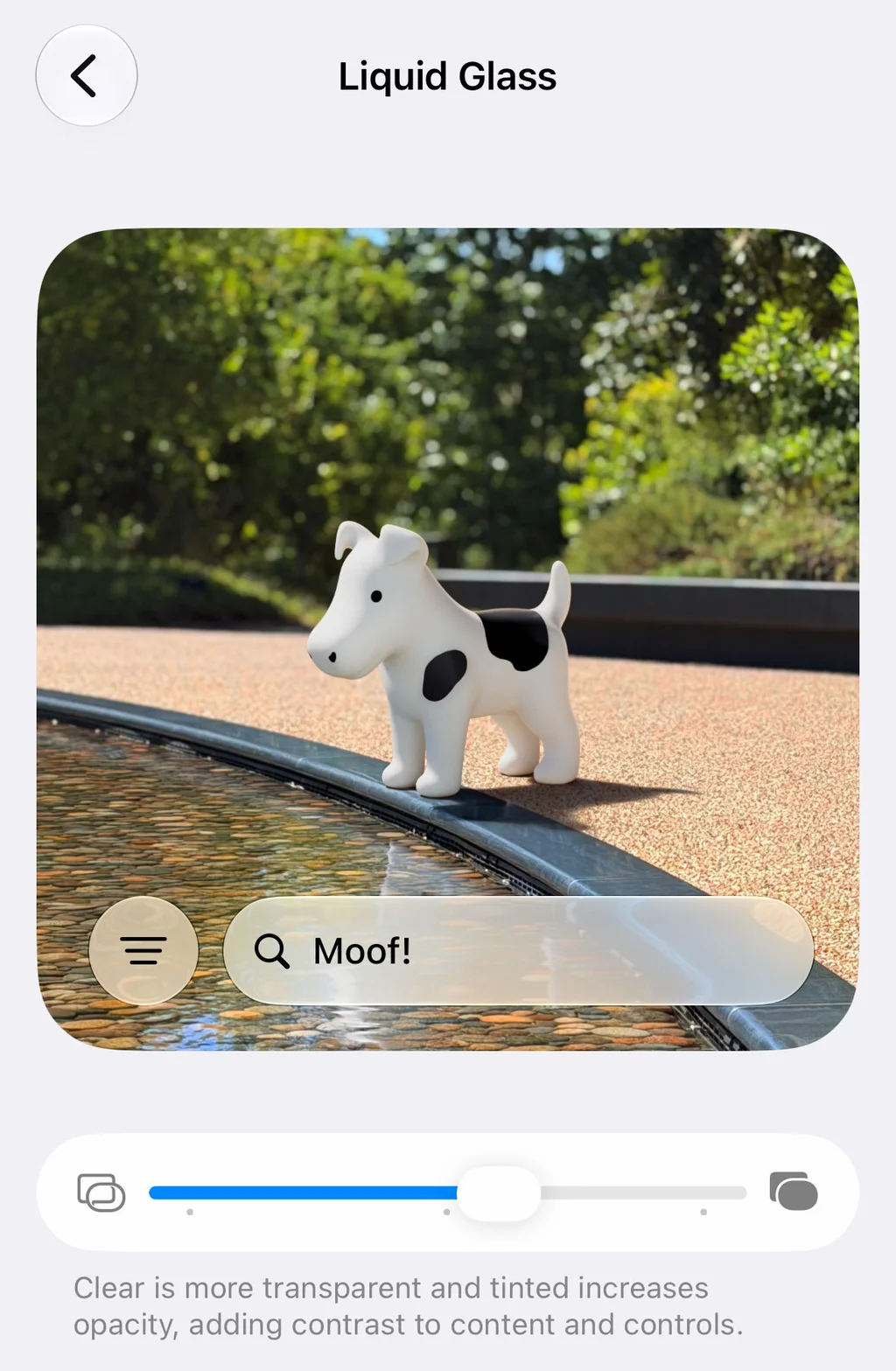
How to see the dogcow easter egg
Apple snuck the dogcow back into its operating systems this week. You can see it in iOS 27, iPadOS 27, and macOS 27. Here’s how:
- Open the Settings app.
- Select Appearance.
- Select Liquid Glass.
- In the preview window showing what Liquid Glass will look like, keep scrolling down. When you reach “The Rainbow” heading, don’t stop—keep scrolling.
You’ll soon see the letters “Moof!” appear one-by-one in the search field, and the preview image will snap to show a modern render of the dogcow looking into a pool of water.
The dogcow easter egg in Apple’s latest operating systems isn’t just a throwback to the dogcow itself, but to a time when Apple’s software was packed with easter eggs.
But though Apple has removed many of its once-iconic easter eggs from its operating systems in recent years, several still remain.
You can check out Fast Company’s rundown of other Apple easter eggs here.